
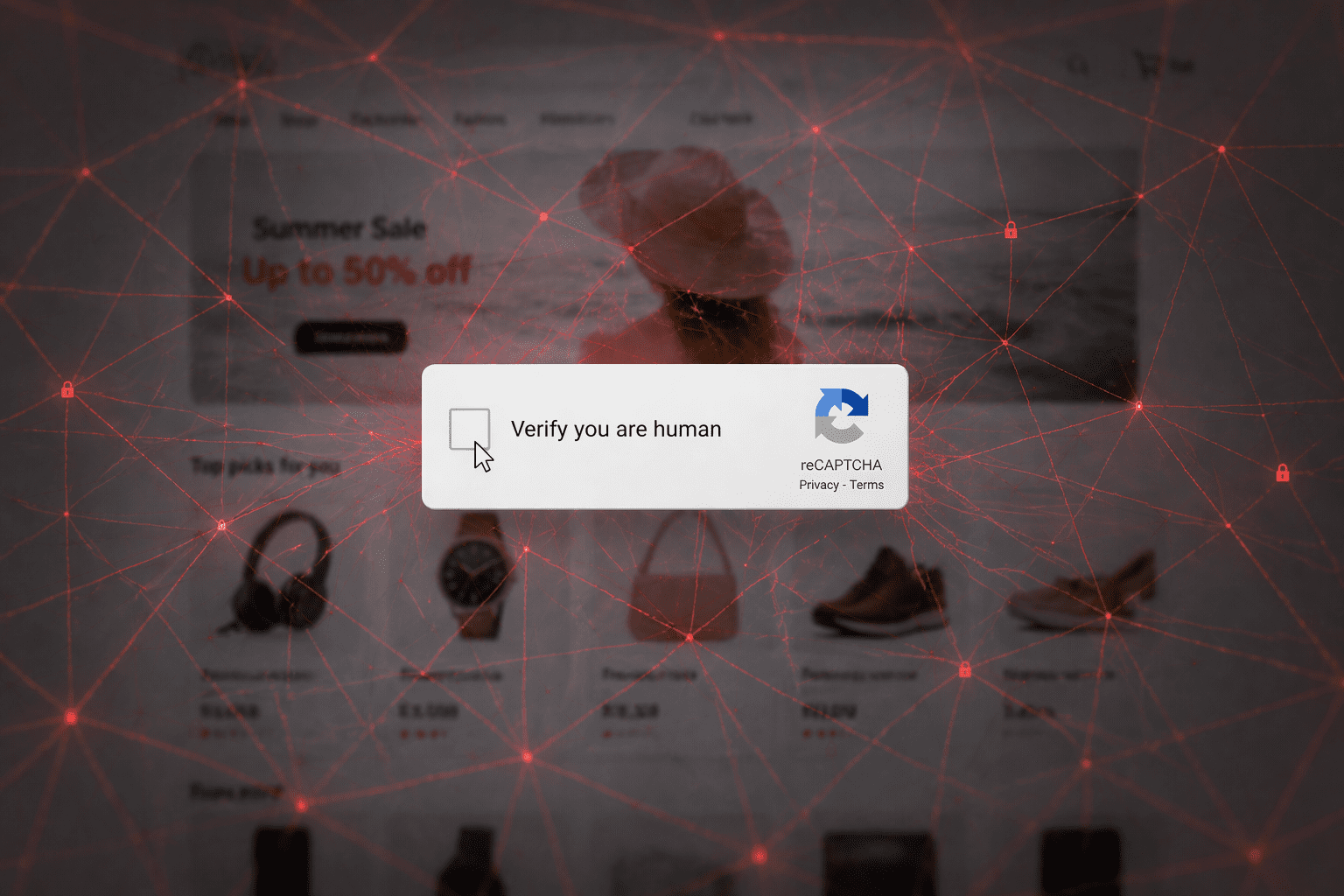
You’ve seen them a thousand times. The thorn in so many avid computer-users’ sides: I am not a robot.
Mark all the bicycles, click on every bus, don’t miss the crosswalks, and find every streetlight. After one, maybe two puzzles, you can finally move on to the very important task you originally set out to do. You don’t think twice about it because you’ve done them so many times.
What if we told you that the simple prompt to verify you’re human is starting to be used for the very thing it’s trying to prevent?
Enter the ClickFix attack. Instead of protecting a website, it’s tricking you into running malicious commands on your own machine. This is happening on legitimate websites, trustworthy websites that you visit all the time. That’s what makes this type of attack so effective.
In this blog, we’re going to break down what a ClickFix attack is, how it works, and how you can protect yourself and your business.
What is the ClickFix Attack?
Put simply, the ClickFix attack is a large-scale malware campaign that uses a social engineering tactic known as ClickFix to trick users into infecting their own systems.
Instead of targeting just one company directly, attackers compromise thousands of legitimate websites and use them as entry points. And these aren’t tiny, suspicious sites. We’re talking about big, trusted sites that you likely visit all the time.
When you visit an infected site, everything looks normal at first. Then, within seconds, the page is replaced with a fake CAPTCHA prompt. The kicker is, it looks like your typical, run-of-the-mill “verify you’re a human” check that we all know and love.
But it’s not.
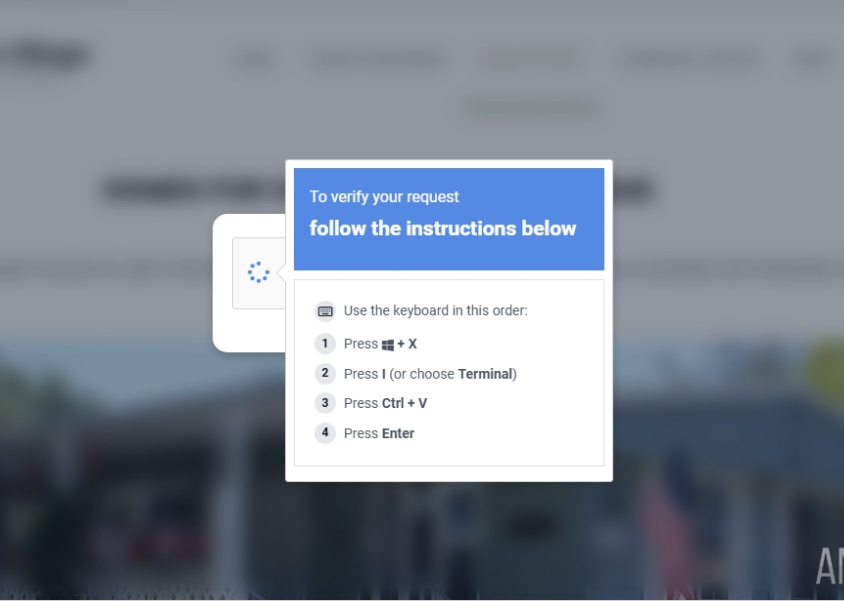
Instead of validating your session, the page gives you instructions to copy and run a command on your computer. That command is disguised as part of the verification process, but it’s actually malicious.
Attackers know that you’re going to get caught in their trap because it’s something you’ve done so many times before.
In fact, they’re banking on it.
What Happens Behind the Scenes?
From your perspective, you’re just thinking about what you’re on the site to do. Maybe you’re ordering something for the office, or researching a term. Maybe you’re doing a bit of online shopping on your lunch break, or checking out that event you want to attend in October.
You’re not thinking about cybersecurity, or paranoid about the things that may be lurking in the dark.
But once that CAPTCHA prompt populates, you’re walking into their web. Here is exactly what’s happening behind the scenes:
Step 1: A compromised website: The attack already started before you visit the site. Attackers injected it with malicious JavaScript weeks, sometimes even months ago. When you visit the site, the real content loads first, so you trust it. Then, that hidden script kicks in.
Step 2: You’re redirected: That script connects out to the attacker-controlled infrastructure and decides whether you should see the attack. Not everyone does. This is done through something called a Traffic Distribution System (TDS), which filters visitors based on things like device type or behavior. If you pass the filter, you get redirected to the next stage.
Cue the fake CAPTCHA.
Step 3: Malware Installed: When you follow the instructions, you’re not verifying anything. You’re running a hidden command.
That command:
- Downloads a script from an external server
- Executes it silently in the background
- Bypasses normal safeguards
The script acts as a loader. It pulls down and installs additional components, often including a Remote Access Tool (RAT). This gives the attacker control over your system.
What ClickFix Attackers Are Trying to Do
One thing to keep in mind about cyberthreats and the psychology of attacks is that the goal is all about control.
Once that command is executed and the malware is installed, the attacker is not just getting access to a single file or system. They’re gaining the ability to operate inside your machine itself.
This could look like:
- Watching your activity so they know exactly when to send a phishing email or the ideal time to strike.
- Catching passwords for more access to your or your company’s system.
- Accessing sensitive data like PII.
- Running commands remotely without you even realizing what’s happening.
One thing to understand here is that, in attacks like this, the malware is usually a remote-access tool. This gives the attacker a direct connection to your system on a silver platter.
What starts as one compromised device can quickly escalate to access to email accounts, internal systems, and other parts of the network.
This attack turns one normal-looking, routine action into full access.
How to Protect Yourself
If you’re nervous right now, we don’t blame you. Cyber attacks are getting more clever, more genius, more dangerous.
This type of attack isn’t something you can solve with one tool because the ClickFix attack doesn’t rely on a single failure; it works because it moves through multiple layers: User interaction, system execution, and then deeper access.
This means that protection has to work the same way.
It starts with awareness: If something is asking you to copy, paste, or run a command on your machine, that should automatically raise a red flag. That’s not a normal part of verifying your identity on a website.
Then put controls in place: You need controls that can step in when something slips through. That’s where endpoint detection and response (EDR) tools come in. They monitor behavior on your device and can stop suspicious activity before it turns into something bigger.
Application control adds another layer by preventing unauthorized scripts and programs from running in the first place.
Visibility is important: If something does happen, and you accidentally fall into the trap, you need to be able to see it clearly. What was triggered? What was blocked? What didn’t execute? Without visibility, you’re left paranoid and guessing.
This is why layered security matters so much.
No single tool will catch everything, but when the right pieces are in place, they work together to stop the attack before it can spread.
Where to Go From Here
If you’re not in the cybersecurity trenches every day, this can feel like a lot.
You’re being told to watch for suspicious behavior, understand how attacks work, and put the right protections in place.
All while running your business and keeping things moving.
Knowing where to start is the hardest part. It’s never just one thing, and it’s definitely not “Install this one tool, and you’re good!”. You need to understand how all the pieces work together in order to effectively protect yourself and your business. If it sounds like a lot, it’s because it is.
That’s where we come in. Network Thinking Solutions is a managed cybersecurity provider that looks at the full picture. We put the right layers in place and make sure that everything is working as it should.
At the end of the day, you shouldn’t have to be a cybersecurity expert to protect yourself. You just need to make sure you’re working with the right partner who can do that for you.
Contact us for a complimentary cybersecurity assessment today.